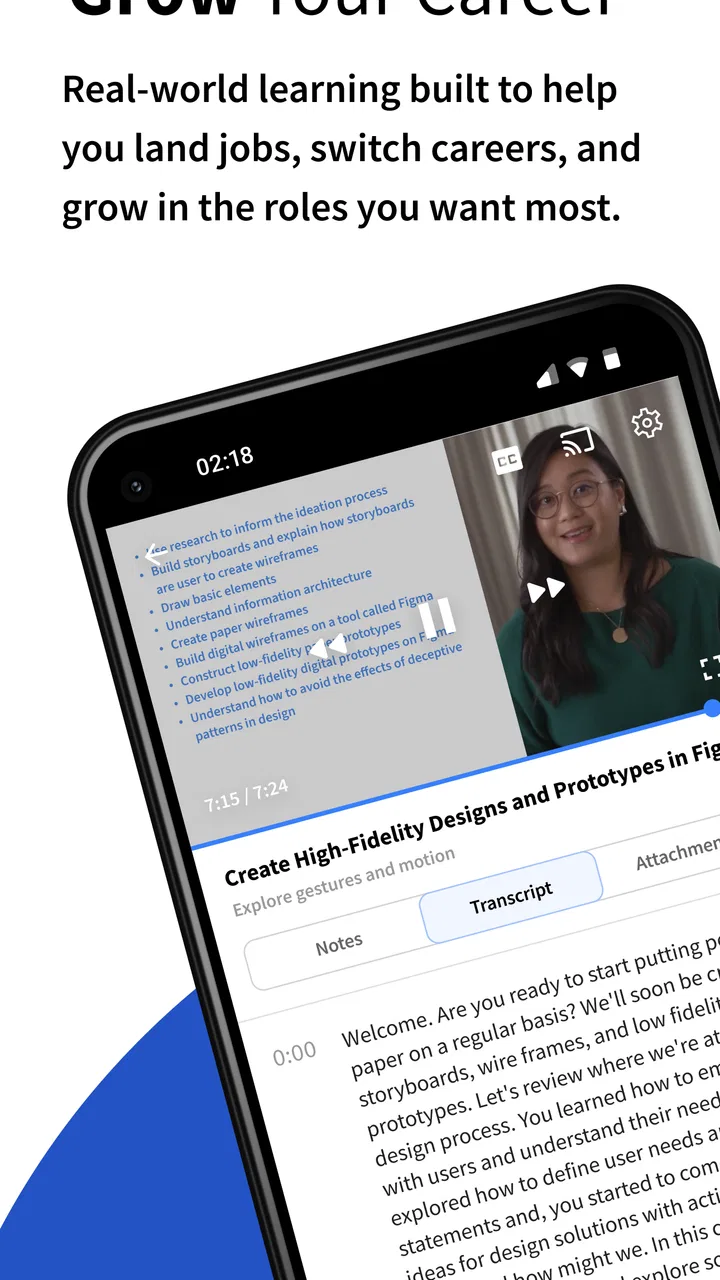
Coursera: Grow your career
- 4.3
- Rating
- 10.00M
- Installs
- Free
- Price

 Analysis by App-foxy
I used Coursera as a mobile learning companion rather than treating it like a simple video library, and that distinction matters. The app brings structured education to a phone or tablet, covering courses, certificates, and degrees through a familiar study interface. For someone trying to learn around work, commuting, family responsibilities, or an irregular schedule, that can be genuinely useful. For someone expecting every lesson and credential to be free, the experience needs a closer look before committing time.
Developed by Coursera, Inc., this Education app has a 4.5 average from around 307 thousand ratings, with more than 10 million installs. Those figures suggest that it has become a mainstream option for mobile learners, but popularity alone does not make it suitable for every goal. My impression is that its real strength is helping you organize serious learning in small sessions, while its main weakness is that the most meaningful outcomes may involve paid access rather than the free starting point.
How Coursera works when learning has to fit around real life
The first thing I noticed is that the app makes education feel more manageable on a mobile screen. Instead of opening a broad catalog and hoping motivation appears, I could approach learning as a sequence of lessons inside a chosen course. That structure is more helpful than a collection of unrelated tutorials when I want to build knowledge progressively.
You May Also Like

 Blood Strike: 2.5 Anniversary
Blood Strike’s Loadouts Turn Every Drop Into a Tactical Gamble
A close look at Blood Strike’s custom loadouts: how fast access to signature weapons reshapes its battle royale rhythm, rewards preparation, and narrows the gap between fights.

 Pandora - Music & Podcasts
Pandora’s Music Is Easy to Start, but Harder to Recover
Pandora’s strength is its low-effort path from a seed to a station. Its weak spot is how much confidence it asks you to place in connection, setup, and quiet recovery.

 8 Ball Pool
 Is Built on Rivalries, Rematches, and Routine
A close look at the rivalries, rematches, shared routines, and unanswered safety questions that turn a quick pool match into a persistent mobile community.

 Samsung Music
’s Quiet Strength Is Playing What You Already Own
Its reach comes less from spectacle than from dependable access to a personal library. That simplicity is both the app’s strongest retention engine and its ceiling.

 AccuWeather: Weather Radar
AccuWeather Review: A Quick, Clear Forecast for Everyday Decisions
For everyday plans, the best forecast is the one you can understand quickly. AccuWeather makes rain timing, radar, and local conditions easy to act on, with a few trade-offs.

 Hill Climb Racing
Why Hill Climb Racing Still Turns Crashes Into One More Run
A tiny car, a bumpy hill and one more upgrade: Hill Climb Racing keeps resurfacing because its simple chaos makes every near-miss feel personal.
More From Our News Desk



A realistic example would be a person who works during the day and wants to move toward a new role. They might use a short evening session to watch or review course material, then return during a lunch break to continue from the same point. The phone becomes a practical access point rather than the entire classroom. I would still prefer a larger screen for dense reading, assignments, or extended study, but the app makes it easier to keep momentum when a computer is unavailable.
The range implied by courses, certificates, and degrees also changes how I judge the app. It is not aimed only at casual curiosity. A learner may arrive wanting a single introductory subject, while another may be investigating a longer educational path. Those are very different commitments, so I recommend deciding your target first: explore a topic, gain a job-related skill, prepare for a credential, or compare possible academic directions.
The most useful habit is to choose a learning outcome before choosing a course. If I begin with a vague promise to “learn technology” or “improve business skills,” it is easy to browse endlessly. If I define a practical result, such as understanding a particular concept well enough to use it at work, the catalog becomes easier to evaluate and the app feels less overwhelming.
What the free starting point really means
Coursera is free to install, which makes it easy to inspect the catalog and decide whether the learning style suits you before spending money. That is valuable because the app is not a good match for everyone. I can first assess the subject, the expected workload, the teaching approach, and whether the course language and level feel comfortable.
However, “free” should not be interpreted as “the complete educational journey costs nothing.” The app includes in-app purchases ranging from $0.99 to $799.99 per item. That is a very wide range, and it tells me that the cost depends heavily on what I choose rather than on a single universal subscription assumption. A low-cost entry point and a much larger educational commitment are not equivalent purchases.
Before paying, I would read the course or program details carefully and identify exactly what the purchase is intended to provide. I would also separate three questions: can I access useful learning material, do I need a certificate, and am I considering a longer degree-oriented path? The answer to the first question does not automatically answer the other two.
This is where Coursera compares differently with free video platforms. A free video platform may offer fast explanations and enormous variety, but it often leaves the learner to design the curriculum, judge quality, and decide what to study next. Coursera is more appealing when a guided sequence and a defined educational destination matter. On the other hand, if I only need a quick explanation of one narrow topic, a full course pathway may be more than I need.
Where the app delivers the most practical value
The strongest value is not simply having lessons on a phone. It is the possibility of turning scattered spare time into a continuing study routine. I found that the mobile format works best when I use it for deliberate, repeatable sessions rather than passive browsing. A ten-minute visit with a clear task is more useful than opening the app whenever I feel vaguely motivated.
One effective workflow is to divide study into three stages. I first use a short session to review what I completed previously. I then focus on one lesson or activity instead of jumping between subjects. Finally, I write down one question or application for later. That last step prevents the app from becoming a stream of consumed content with no connection to real work.
Another less obvious advantage is that the app can support career exploration before a major commitment. Someone considering a change into a new field can sample the style and difficulty of relevant learning before deciding whether a longer program makes sense. This does not replace professional advice or a formal admissions process, but it can make an uncertain decision more informed.
The app is also useful for people who already know what they want to improve. A working professional may not need a broad academic experience; they may need a focused way to refresh concepts, prepare for a new responsibility, or build confidence before applying for a role. In that situation, the value comes from choosing narrowly and finishing consistently, not from collecting many unfinished courses.
Certificates can add a useful signal to a learning plan, but I would not treat one as a guaranteed career result. A certificate may help demonstrate initiative or provide a clearer way to discuss recent study, yet employers and institutions can weigh practical experience, portfolios, interviews, and formal qualifications differently. The app can support a career strategy; it should not be mistaken for the whole strategy.
Tradeoffs that are easy to miss before installing
The broad catalog is both a benefit and a source of friction. More choice sounds positive, but it can make the first decision harder. I recommend comparing course descriptions against your current level instead of selecting the most attractive title. Starting above your preparation can turn an interesting subject into a discouraging experience, while starting far below it can waste your time.
There is also a difference between learning conveniently and learning deeply. A phone is excellent for fitting study into small gaps, but it is not always ideal for concentration. Reading technical material, taking detailed notes, or completing demanding work may be more comfortable on a computer. I see the mobile app as a flexible part of a study setup, not necessarily a replacement for every other device.
Paid value requires discipline. Because the possible purchase range is so broad, I would not pay simply because a course looks promising. I would first check whether its subject matches my goal, whether I can realistically finish it, and whether the credential matters for my intended use. The cheapest option is not automatically valuable if I abandon it, and the most expensive option is not automatically worthwhile because it sounds more comprehensive.
Another tradeoff involves motivation. A structured course can guide me, but the app cannot create time or attention. If I regularly download learning apps and stop after the first burst of enthusiasm, Coursera may become another unfinished project. In that case, a smaller, clearly bounded resource might be a better choice until I establish a reliable routine.
The age rating is Everyone, which makes the app broadly accessible from a content-rating perspective. That does not mean every course will be equally suitable for every learner’s background or educational objective. I would still check the difficulty and subject matter personally, especially when choosing material for a younger learner or someone beginning without prior knowledge.
Who should use it, and who should look elsewhere
I would recommend Coursera to learners who want education with more direction than random online tutorials provide. It is particularly well suited to someone who can define a subject, commit to regular sessions, and evaluate paid options carefully. It also makes sense for a person exploring a possible career shift who wants a structured introduction before making a larger decision.
It is less suitable for someone who wants instant answers with no course progression. If my need is simply to understand one formula, fix one software problem, or get a brief explanation, a focused reference may be faster. Coursera becomes more compelling when I want a connected learning path rather than an isolated answer.
I would also hesitate to recommend it as the only tool for a learner who needs close personal feedback. A mobile course environment can organize material, but people who learn best through direct tutoring, classroom discussion, or immediate correction may prefer a live class or a specialist mentor. The right comparison is not “which app has more content?” but “what kind of support helps me actually improve?”
For families, the Everyone rating makes the app approachable, but I would help a younger learner choose carefully rather than leaving them alone with a huge catalog. A defined goal, a realistic schedule, and adult guidance about purchases are more important than simply installing the app.
Version, access, and the decision to pay
The current version is 5.48.1, and the app requires operating system version 10 or later. That requirement is worth checking before planning a study routine around it, particularly if the device is older. The app is available as a free installation, while optional purchases can change the total cost substantially depending on the selected learning path.
My advice is to treat installation as an evaluation phase. Browse subjects, identify a course that matches a specific outcome, and test whether the lesson format fits your attention span. If the free experience helps you study consistently, then consider whether paying adds something you genuinely need, such as progress toward a certificate or access to a more substantial program. If you are not using the free portion regularly, paying is unlikely to solve the underlying problem.
I would also avoid judging value by the size of the catalog. A smaller course that I finish and apply is worth more to me than a prestigious-looking path that remains untouched. The best purchase is the one connected to a concrete plan and a schedule I can keep, not the one with the most impressive description.
My final view after weighing the free and paid sides
Coursera is a strong choice for structured self-education, but its value depends on follow-through and careful purchase decisions. I like it because it gives mobile learning a clearer purpose than casual browsing, and because it can serve both immediate skill development and longer-term educational exploration. The free installation lowers the barrier to trying it, while the paid range means I would never assume that every desired outcome is included at no cost.
I would install it if I had a defined subject and wanted a guided path that could fit around everyday responsibilities. I would skip it, at least for now, if I only needed quick reference material, if I required intensive personal instruction, or if I had no realistic time to study. In those situations, a focused tutorial, live class, or simpler learning resource may deliver better value.
For me, the deciding test is straightforward: can I name what I want to learn, when I will study, and why I might need the paid part? If the answer is yes, Coursera has a credible place in my routine. If the answer is no, I would explore the free access without rushing into a purchase. That balanced approach is what makes the app worthwhile: not treating it as a magic career shortcut, but using its structured learning experience deliberately.
FAQs for Coursera: Grow your career
01What is Coursera and how can it benefit my career?
Coursera is an online learning platform offering courses, specializations, and degrees from top universities and companies worldwide. By enrolling in courses, you can gain new skills, earn professional certificates, and advance your career. The platform covers a wide range of topics, allowing learners to adapt to industry changes and improve their job prospects.
02Is Coursera free to use, or are there costs involved?
Coursera offers both free and paid courses. Many courses are available for free, but they may not include graded assignments or certificates. For a fee, you can access full course materials, including graded assignments, and earn a certificate upon completion, which can be added to your resume or LinkedIn profile.
03How flexible is the learning process on Coursera?
Coursera provides a flexible learning experience with courses that can be taken at your own pace. Most courses offer video lectures, quizzes, and peer-reviewed assignments that can be completed at any time. This flexibility makes it ideal for working professionals or students with busy schedules.
04What kind of support does Coursera offer to its learners?
Coursera offers extensive support through discussion forums, peer interaction, and help from teaching assistants. Learners can connect with peers for collaborative learning and get assistance with course content. Additionally, Coursera's customer support team is available to address technical issues or other inquiries.
05Can I earn a degree through Coursera, and is it recognized?
Yes, Coursera offers fully accredited online degrees from reputable institutions. These degrees are recognized and valued by employers worldwide. The platform provides a range of undergraduate and graduate programs, allowing you to earn a degree while maintaining your current job or other commitments.
Pros
- Wide range of courses available.
- High-quality content from top universities.
- Flexible learning schedules.
- Certificate options available.
- User-friendly interface.
Cons
- Some courses can be expensive.
- Limited interaction with instructors.
- Completion not always recognized by employers.
- Requires self-motivation.
- Free content can be limited.

Coursera: Grow your career
Gallery